








 Designed to support your daily health needs with quality and care you can trust.
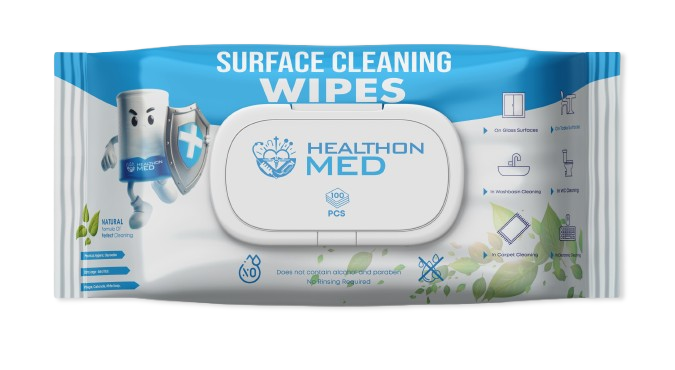
Effortlessly Sanitize Your Devices: A Complete Guide to Cleaning Electronics with SURFACE CLEANING WIPES
In today’s world, maintaining cleanliness and hygiene is more important than ever, especially when it comes to our frequently used electronic devices. From smartphones and tablets to keyboards and remote controls, these surfaces can harbour a plethora of germs and bacteria. Fortunately, cleaning your electronics doesn’t have to be a chore. In this guide, we will explore how to effectively sanitise your devices using SURFACE CLEANING WIPES, ensuring your gadgets remain not only functional but also hygienic.
The Importance of Cleaning Your Electronics
Before diving into the cleaning process, it’s essential to understand why regular sanitisation of your devices is crucial. Our phones and tablets are often the most touched items in our daily lives, making them hotspots for germs. Studies have shown that mobile devices can carry more bacteria than a toilet seat. Regularly cleaning your electronics can help reduce the risk of illness and keep your devices in optimal working condition.
Why Choose SURFACE CLEANING WIPES?
When it comes to cleaning electronics, not all products are created equal. SURFACE CLEANING WIPES are specially designed for this purpose, offering several advantages:
1. **Convenience**: These pre-moistened wipes are ready to use straight out of the packet, making them an efficient choice for quick cleaning.
2. **Effective Sanitisation**: SURFACE CLEANING WIPES are formulated to kill 99.9% of germs and bacteria, providing peace of mind that your devices are truly clean.
3. **Non-Abrasive Formula**: Unlike some household cleaners, these wipes are safe to use on delicate screens and surfaces without causing scratches or damage.
4. **Versatility**: While ideal for electronics, SURFACE CLEANING WIPES can also be used on various surfaces, including countertops, door handles, and other high-touch areas in your home or office.
Step-by-Step Guide to Cleaning Your Devices
1. Gather Your Supplies
Before you begin, ensure you have the following items ready:
– SURFACE CLEANING WIPES
– A microfiber cloth (optional for extra polishing)
– A soft brush or compressed air (for keyboards)
2. Power Down Your Devices
For safety, always turn off and unplug your electronic devices before cleaning. This not only protects the device but also prevents accidental inputs during the cleaning process.
3. Wipe Down Surfaces
Take a SURFACE CLEANING WIPE and gently wipe down the surfaces of your device. Here’s how to approach different electronics:
– **Smartphones and Tablets**: Start from the top and work your way down, ensuring you cover all areas, including the back and sides. Avoid excessive moisture around ports and openings.
– **Laptops and Keyboards**: Use the wipe on the keyboard, touchpad, and screen. For hard-to-reach areas, such as between
🛒 Learn more about SURFACE CLEANING WIPES.